
Blog
How to Protect Your Office Chair from Daily Wear and Tear

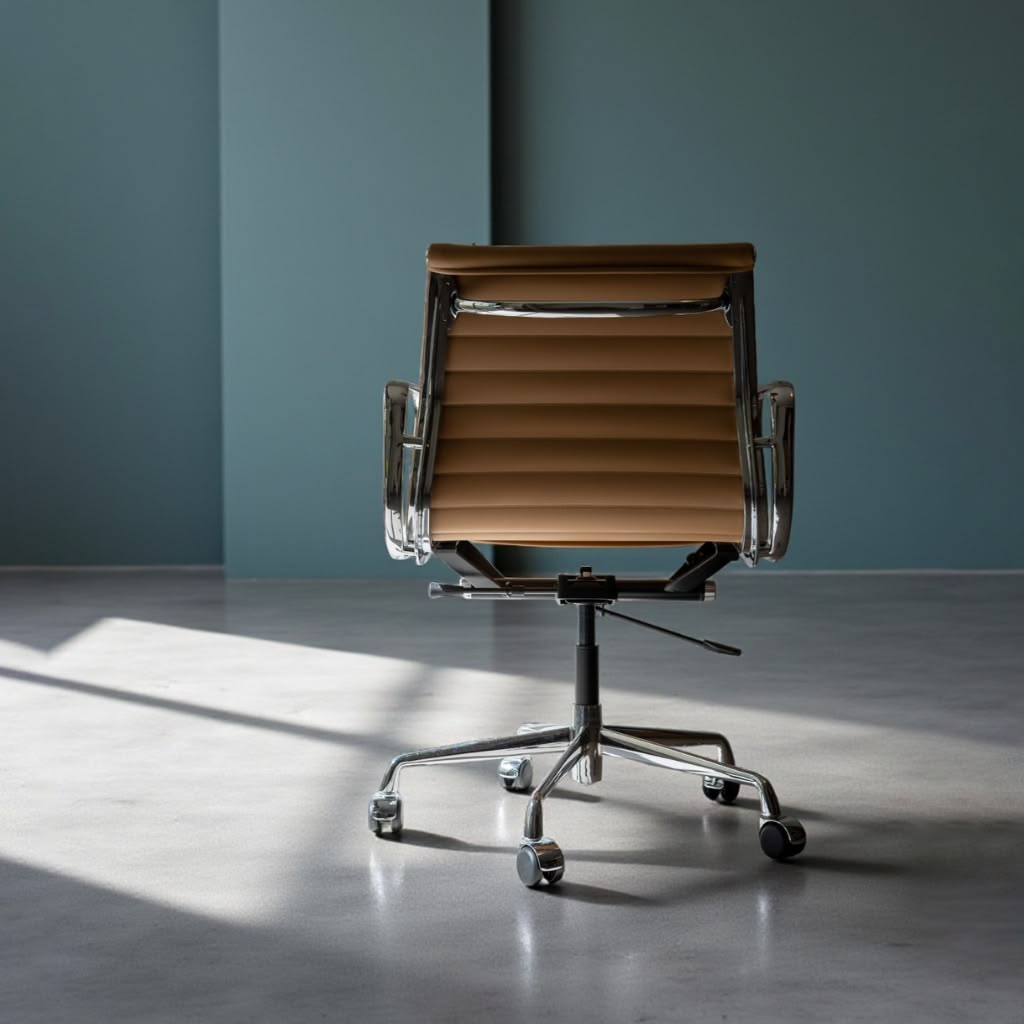
An office chair is one of the most frequently used pieces of furniture in any workspace. From long working hours and virtual meetings to everyday tasks at your desk, your chair is constantly exposed to pressure, movement, dust, and friction. Over time, this daily use can lead to worn upholstery, loose components, damaged wheels, and reduced comfort.
Fortunately, proper office chair care and maintenance can help minimize everyday damage and extend the lifespan of your chair.
Whether you have a fabric, leather, mesh, or ergonomic office chair, understanding how to protect it from daily wear and tear can help you maintain a cleaner, more comfortable, and functional workspace.
In this guide, we’ll explore practical ways to protect your office chair from daily wear and tear and keep it in good condition for years to come.
What Causes Daily Wear and Tear on Office Chairs?
Before learning how to protect your office chair, it is useful to understand what causes damage in the first place.
Common causes of office chair wear and tear include:
- Frequent sitting and movement
- Friction from clothing
- Dust and dirt buildup
- Food and drink spills
- Excessive weight
- Improper use
- Frequent adjustment of mechanical parts
- Dragging the chair across the floor
- Direct sunlight
- Poor cleaning practices
While some wear is unavoidable, many causes can be reduced with proper office chair maintenance and everyday care.
1. Clean Your Office Chair Regularly
Regular cleaning is one of the simplest ways to protect your office chair.
Dust, dirt, body oils, and other debris can gradually affect the chair’s upholstery and surfaces. If these particles accumulate, they may contribute to discoloration, stains, or material deterioration.
For routine cleaning:
- Remove dust with a microfiber cloth.
- Vacuum fabric and mesh surfaces.
- Wipe hard surfaces gently.
- Clean spills as soon as possible.
- Follow the manufacturer’s cleaning instructions.
A quick weekly cleaning routine can prevent dirt from becoming deeply embedded in the chair.
2. Choose the Right Cleaning Products
Not every cleaning product is suitable for every office chair.
Fabric, mesh, leather, faux leather, plastic, and metal components may all require different cleaning methods.
Avoid using harsh chemicals, abrasive cleaners, or excessive amounts of water unless specifically recommended by the manufacturer.
When using a new cleaning product, test it on a small, hidden area first. This can help you determine whether the product affects the material before applying it to a visible surface.
Choosing the correct products is an important part of proper office chair cleaning and maintenance.
3. Protect the Upholstery From Stains
The seat and backrest are particularly vulnerable to stains because they come into frequent contact with clothing, skin, food, and drinks.
To protect your office chair upholstery:
- Keep drinks in secure containers.
- Avoid eating directly over the chair.
- Clean spills immediately.
- Avoid placing dirty objects on the seat.
- Use a suitable chair cover if appropriate for your chair.
For fabric chairs, quickly blot liquid spills rather than rubbing them aggressively. Rubbing can spread the stain and push the liquid deeper into the upholstery.
4. Avoid Sitting on the Armrests
Armrests are designed to support your arms, not your body weight.
Sitting or leaning heavily on the armrests can place unnecessary stress on their connections. Over time, this may cause them to become loose, cracked, or damaged.
Use the armrests for their intended purpose and avoid putting excessive weight on them.
5. Don’t Use Your Office Chair as a Step Stool
One of the most common ways to misuse an office chair is standing on it to reach something.
Even if the chair appears stable, standing on the seat can place concentrated pressure on the seat, frame, wheels, and base. It can also create a serious risk of falling.
Use a proper step stool or ladder instead of an office chair when you need to reach something.
This simple habit can protect both your chair and your personal safety.
6. Respect the Chair’s Weight Capacity
Every office chair has a recommended weight capacity.
Exceeding this limit can put additional stress on the frame, gas lift, seat mechanism, base, and casters.
Always check the manufacturer’s specifications and make sure the chair is suitable for its intended user.
Staying within the recommended weight capacity is an important part of maintaining office chair durability.
7. Maintain the Wheels and Casters
Office chair wheels experience constant movement and contact with the floor.
Hair, dust, crumbs, and other debris can become trapped around the casters. This can make the chair harder to move and may contribute to premature wear.
Clean the wheels regularly by:
- Removing visible hair and debris.
- Using a small brush or cloth around the casters.
- Checking whether each wheel rotates properly.
- Looking for cracks or other damage.
- Replacing damaged casters when necessary.
Clean and functional casters allow the chair to move smoothly and help reduce unnecessary strain on its base.
8. Use the Chair on a Suitable Surface
The type of flooring underneath your office chair can affect both the chair and the floor.
Hard flooring, carpet, wood, and tile may require different types of casters.
If your chair is frequently used on hard flooring, consider whether a suitable chair mat or appropriate casters would help protect the floor and improve chair movement.
A suitable surface can also reduce unnecessary friction on the wheels.
9. Avoid Dragging Your Office Chair
Dragging an office chair sideways or across a rough surface can place unnecessary stress on the casters and base.
Whenever possible, roll the chair normally instead of dragging it.
If you need to move the chair a significant distance, make sure the wheels are positioned correctly and move it carefully.
This simple habit can help reduce unnecessary wear on the casters and chair base.
10. Check Screws and Bolts Regularly
Constant movement can gradually loosen screws, bolts, and other connections.
Every few months, inspect the chair and check components such as:
- Armrests
- Backrest connections
- Seat frame
- Base
- Wheel attachments
- Adjustment mechanisms
If you find a loose component, tighten it according to the manufacturer’s instructions.
Avoid overtightening because excessive force can damage threads or other components.
11. Use Adjustment Mechanisms Correctly
Many office chairs have adjustable features such as:
- Seat height
- Reclining angle
- Armrest height
- Lumbar support
- Seat depth
- Tilt tension
Use these mechanisms gently and according to the manufacturer’s instructions.
Avoid forcing a lever or adjustment knob if it becomes difficult to operate. A mechanical problem that is ignored or forced may become more expensive to repair.
Proper use of these features can help maintain the chair’s functionality and reduce unnecessary mechanical wear.
12. Protect Your Chair From Direct Sunlight
Prolonged exposure to direct sunlight can affect certain office chair materials.
Some fabrics may fade, while leather and faux leather can experience changes in appearance or condition depending on the material and environment.
If possible, position your chair away from strong direct sunlight.
Using blinds, curtains, or window shades can also help reduce prolonged exposure.
13. Keep Food and Drinks Away From Your Chair
Spills are one of the easiest ways to damage office chair upholstery.
Coffee, tea, juice, sauces, and other liquids can leave stains or odors if they are not cleaned quickly.
If you regularly eat or drink while working, use containers with secure lids and keep food away from the chair whenever possible.
If a spill occurs, clean it immediately using a method appropriate for the chair’s material.
14. Consider Using an Office Chair Cover
An office chair cover can provide an additional layer of protection for certain types of chairs.
A cover can be especially useful if:
- The chair is used for long hours.
- Multiple people use the chair.
- You have pets at home.
- The chair is exposed to frequent spills.
- You want to protect the original upholstery.
Make sure the cover fits properly and does not interfere with the chair’s adjustment mechanisms or ergonomic features.
15. Maintain Good Sitting Habits
How you use your office chair can also affect its lifespan.
Avoid constantly leaning to one side, rocking excessively, or placing uneven pressure on the seat.
Sit centrally and use the chair according to its intended ergonomic design.
Good sitting habits can reduce unnecessary stress on the seat, backrest, and frame while helping you maintain a comfortable working position.
16. Don’t Ignore Small Problems
Small problems can become bigger problems if they are ignored.
For example, a slightly loose armrest may eventually become unstable. A damaged wheel may place additional stress on the chair base. A squeaking adjustment mechanism may indicate that a component needs inspection.
Pay attention to changes such as:
- New squeaking sounds
- Wobbling
- Loose armrests
- Uneven movement
- Difficulty adjusting the chair
- Cracked components
- Damaged upholstery
Addressing minor problems early can help prevent further damage and potentially reduce repair costs.
17. Protect Your Office Chair From Pets
If you have pets at home, your office chair may be exposed to additional wear.
Pet hair can accumulate on upholstery and inside moving components, while claws can scratch certain materials.
Regularly vacuum the chair and remove pet hair before it becomes deeply embedded in the upholstery.
If necessary, use a suitable protective cover when the chair is not in use.
18. Keep Your Workspace Clean
The condition of your workspace can also affect your office chair.
A dusty or cluttered environment can cause more dirt to accumulate on the chair and its wheels.
Keep the area around your desk clean and regularly vacuum or sweep the floor. This can help reduce the amount of dust, hair, and debris that comes into contact with your chair.
A clean workspace supports better overall office chair care.
19. Follow the Manufacturer’s Care Instructions
Every office chair is different.
The manufacturer may provide specific instructions regarding cleaning products, weight limits, adjustment mechanisms, lubrication, replacement parts, and other maintenance requirements.
Always refer to the product manual or manufacturer’s recommendations whenever possible.
Following these guidelines can help you avoid accidentally damaging the chair while trying to maintain it.
20. Create a Simple Office Chair Maintenance Routine
You don’t need a complicated maintenance schedule to protect your office chair.
A simple routine can be enough.
Weekly Office Chair Care
- Remove dust and crumbs.
- Wipe the seat and armrests.
- Check for stains or spills.
- Vacuum fabric or mesh upholstery.
- Check the wheels for visible debris.
Monthly Office Chair Maintenance
- Clean the wheels thoroughly.
- Inspect the chair base.
- Check screws and bolts.
- Examine the upholstery.
- Clean underneath the chair.
- Test the adjustment mechanisms.
Every Few Months
- Inspect the casters for damage.
- Check the frame and base.
- Examine the upholstery for signs of wear.
- Check whether adjustment mechanisms work properly.
- Review the manufacturer’s maintenance recommendations.
A consistent routine makes office chair maintenance easier and helps prevent small issues from becoming major problems.
When Should You Replace Your Office Chair?
Proper care can significantly extend the life of an office chair, but no chair lasts forever.
You may need to consider replacement if the chair has:
- Serious structural damage
- A cracked or unstable base
- Broken adjustment mechanisms
- Severely damaged upholstery
- Unreliable wheels
- Persistent instability
- Significant loss of cushioning or support
If only a small component is damaged, such as a caster or armrest, check whether replacement parts are available before replacing the entire chair.
Final Thoughts
Learning how to protect your office chair from daily wear and tear is a simple way to preserve its appearance, comfort, and functionality.
Regular cleaning, careful use, proper wheel maintenance, and periodic inspections can all contribute to better office chair durability. Avoid excessive weight, harsh cleaning products, direct sunlight, and improper use, and address small problems before they become more serious.
With consistent care and proper maintenance, your office chair can remain a comfortable and reliable part of your workspace for many years.
Frequently Asked Questions About Office Chair Care
How can I protect my office chair from daily wear and tear?
Clean the chair regularly, avoid exceeding its weight capacity, protect it from spills and direct sunlight, maintain the wheels, and use all adjustment mechanisms properly.
How often should I clean my office chair?
For an office chair used every day, basic cleaning once a week is a practical routine. A more thorough cleaning can be performed monthly or whenever the chair becomes noticeably dirty.
How do I protect office chair upholstery?
Keep food and drinks away from the chair, clean spills immediately, vacuum fabric regularly, and use cleaning products designed specifically for the upholstery material.
How do I make my office chair last longer?
Proper office chair maintenance includes regular cleaning, checking screws and bolts, maintaining the casters, using the chair within its weight capacity, and avoiding improper use.
Can an office chair be damaged by sunlight?
Yes. Prolonged direct sunlight may cause some upholstery materials to fade or change in condition. Positioning the chair away from direct sunlight can help reduce this type of wear.
Should I use an office chair cover?
An office chair cover can provide additional protection against dust, spills, pet hair, and everyday wear. Make sure the cover is suitable for your chair and does not interfere with its ergonomic features.
When should I replace my office chair?
Consider replacing an office chair when it has serious structural damage, persistent instability, broken essential mechanisms, or no longer provides adequate comfort and support. For minor problems, replacement parts may be an option.