
Blog
Essential Office Chair Care Tips You Should Know

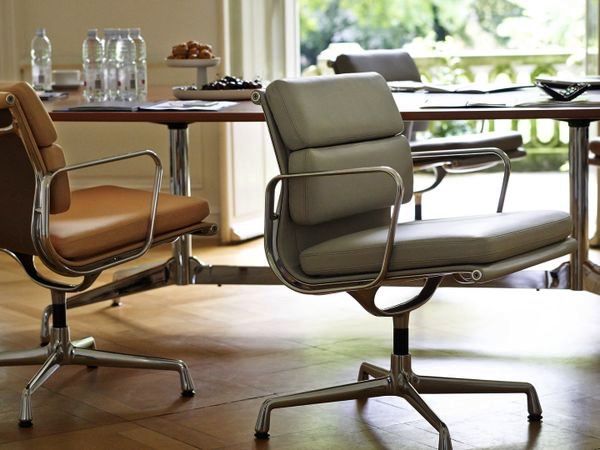
An office chair is an important part of any workspace. Whether you work from home or spend long hours in a professional office, a comfortable chair can make a significant difference in your daily routine. However, even the best office chair needs regular care to stay comfortable, clean, and functional.
With a few simple office chair care habits, you can help prevent unnecessary wear and tear, maintain its appearance, and extend its lifespan. In this guide, we’ll explore essential office chair maintenance tips that every chair owner should know.
Why Office Chair Care Matters
Daily use can gradually affect your office chair. Dust can collect on the surface, crumbs can get trapped in the mechanisms, and frequent movement can loosen screws or affect the chair’s adjustment features.
Regular office chair maintenance helps you identify small problems before they become expensive repairs. It also keeps your workspace looking neat and ensures your chair continues to provide the support and comfort you need.
1. Clean Your Office Chair Regularly
One of the easiest ways to care for your office chair is to clean it regularly. Dust, dirt, and body oils can build up over time, especially on the seat, backrest, and armrests.
For everyday cleaning, use a soft, dry cloth to remove dust. If the chair has a fabric surface, gently vacuum it to remove crumbs and debris. For leather or faux leather chairs, use a slightly damp cloth and a cleaner suitable for the material.
Always check the manufacturer’s cleaning instructions before using any product. Avoid harsh chemicals that may damage the upholstery or change its color.
2. Use the Right Cleaning Products
Different office chair materials require different cleaning methods. Using the wrong product can cause stains, discoloration, or damage.
For fabric chairs, a mild upholstery cleaner may be appropriate. Leather chairs may benefit from a leather-specific cleaner and conditioner. Mesh chairs can usually be cleaned with a soft brush or vacuum attachment to remove dust from the surface.
Before applying a cleaner, test it on a small, hidden area. This simple step can help prevent unwanted damage to your chair.
3. Keep Food and Drinks Away When Possible
Spills and crumbs are common causes of office chair stains and unpleasant odors. Coffee, tea, and other drinks can quickly leave marks on upholstery if they are not cleaned immediately.
Try to keep food and drinks away from your chair whenever possible. If a spill happens, blot it gently with a clean cloth instead of rubbing it, which can push the liquid deeper into the material.
Cleaning spills promptly is one of the most effective ways to keep your office chair looking fresh.
4. Check and Tighten Loose Screws
Office chairs have several moving parts that can become loose with regular use. Screws, bolts, and other connections may need occasional checking to ensure the chair remains stable.
Every few months, inspect the base, armrests, backrest, and seat connections. If you notice a loose screw, tighten it carefully using the appropriate tool.
Avoid overtightening, as this can damage the components. If a part is cracked, missing, or no longer secure, consider replacing it rather than continuing to use the chair.
5. Maintain the Chair’s Wheels and Base
The wheels and base of an office chair are exposed to dust, hair, and debris every day. Over time, this buildup can make the chair harder to move and may affect its stability.
Clean the wheels regularly and remove any hair or debris wrapped around them. You can also check that the wheels rotate smoothly and that the base is free from cracks or damage.
If your chair has a five-star base, inspect each connection to ensure it remains secure. A clean and well-maintained base helps your chair move more smoothly and safely.
6. Avoid Sitting in the Wrong Position
Office chair care is not only about cleaning and repairs. How you use your chair also affects its condition.
Avoid standing on the seat, leaning excessively on the armrests, or using the chair as a step stool. These habits can put unnecessary pressure on the frame and adjustment mechanisms.
Use your office chair as intended, and follow the manufacturer’s weight and usage recommendations. Proper use can help reduce unnecessary stress on the chair.
7. Adjust Your Chair Correctly
An office chair that is adjusted properly can be more comfortable and easier to use. Take a few moments to adjust the seat height, backrest, armrests, and other available features to suit your needs.
Correct adjustment can also reduce unnecessary pressure on certain parts of the chair. For example, using the backrest properly instead of leaning heavily on the edge of the seat can help distribute your weight more evenly.
If your chair has adjustable lumbar support or tilt tension, make sure these features are set appropriately for your sitting position.
8. Protect Your Chair from Direct Sunlight
Direct sunlight can gradually fade upholstery and may damage certain materials. Leather, faux leather, and some fabrics can become discolored or dry out when exposed to strong sunlight for long periods.
If possible, position your office chair away from direct sunlight. You can also use curtains or blinds to reduce exposure during the brightest parts of the day.
This simple office chair maintenance tip can help preserve its appearance over time.
9. Avoid Overloading the Chair
Every office chair is designed to support a specific amount of weight. Exceeding the recommended weight limit can place excessive stress on the frame, gas lift, and other components.
Check the manufacturer’s specifications and avoid placing heavy objects on the seat. Using the chair within its intended limits can help maintain its stability and performance.
10. Inspect the Gas Lift and Adjustment Mechanisms
The gas lift is responsible for adjusting the height of many office chairs. Over time, it may become less effective or show signs of wear.
If your chair suddenly sinks, struggles to stay at the desired height, or makes unusual noises, inspect the adjustment mechanism. Do not attempt to repair a damaged gas lift without the proper knowledge or tools.
If the mechanism is faulty, consider having it replaced by a qualified professional or contacting the manufacturer for assistance.
11. Give Your Chair a Quick Inspection Every Month
A monthly inspection can help you catch small issues before they become bigger problems. Check the chair’s stability, wheels, armrests, backrest, and adjustment features.
Look for signs of wear, loose connections, unusual noises, or damaged upholstery. If you notice anything unusual, address it promptly.
Regular inspections are a simple way to keep your office chair in good condition for longer.
12. Follow the Manufacturer’s Care Instructions
Every office chair is different. The best cleaning products, maintenance methods, and replacement parts depend on the chair’s design and materials.
Always read the manufacturer’s care instructions before cleaning, adjusting, or repairing your chair. These guidelines can help you avoid accidental damage and ensure you use the chair correctly.
If you are unsure about a repair or replacement, contact the manufacturer or a qualified technician.
How Often Should You Clean Your Office Chair?
The ideal cleaning schedule depends on how often you use your chair and the type of material it has.
For everyday care, wipe down frequently touched surfaces such as the armrests and seat. A more thorough cleaning every few weeks can help remove dust and buildup. Deep cleaning may be needed every few months, especially for fabric upholstery.
If you work from home, have pets, or use your chair for long hours each day, you may need to clean it more frequently.
When Should You Replace Your Office Chair?
Even with regular office chair maintenance, some chairs eventually need to be replaced. Signs that it may be time for a new chair include:
- A damaged or unstable base
- A gas lift that no longer works properly
- Cracked or severely worn upholstery
- Broken adjustment mechanisms
- Persistent discomfort despite proper adjustment
- Excessive wobbling or unusual noises
If a chair can be repaired safely and affordably, replacing individual parts may be a practical option. However, a chair with major structural damage may need to be replaced.
Final Thoughts
Taking care of your office chair does not have to be difficult. Regular cleaning, proper use, and occasional inspections can help maintain its comfort, appearance, and functionality.
By following these essential office chair care tips, you can reduce unnecessary wear and tear and enjoy a more comfortable workspace for years to come. A little maintenance today can make a big difference in the long-term value of your office chair.
Looking for a comfortable and stylish chair for your workspace? Explore our collection of office chairs and find the right option for your needs.