
Blog
10 Simple Ways to Maintain Your Office Chair

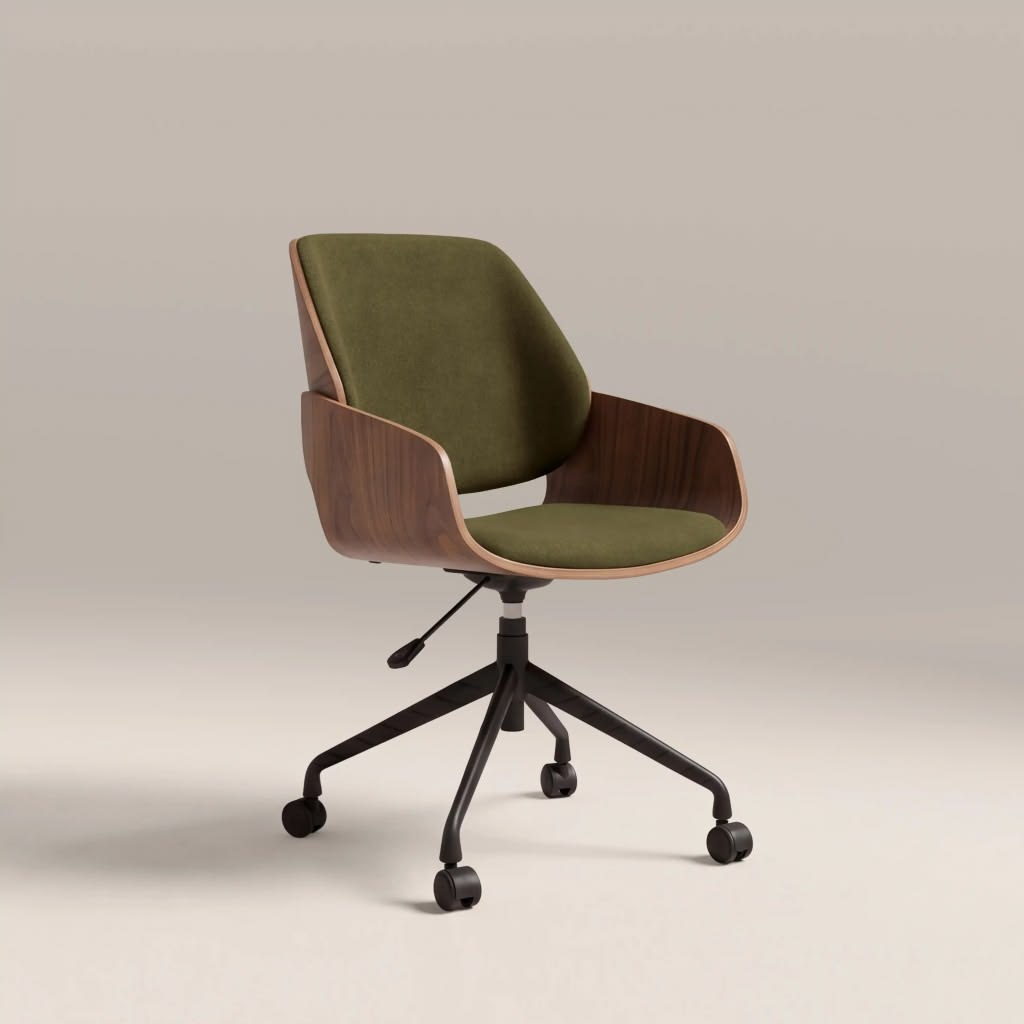
An office chair is an essential part of any productive workspace. Whether you work from home or spend long hours in a corporate office, a well-maintained office chair can provide better comfort, support, and durability.
However, like any piece of office furniture, an office chair requires regular care to stay in good condition. Dust, dirt, spills, improper use, and daily wear can gradually affect its appearance and performance.
The good news is that maintaining your office chair does not have to be complicated. With a few simple habits, you can keep your chair clean, comfortable, and functional for longer.
Here are 10 simple ways to maintain your office chair.
1. Clean Your Office Chair Regularly
One of the easiest ways to maintain an office chair is to clean it regularly. Dust and dirt can accumulate on the seat, backrest, armrests, and base over time.
Use a soft, dry cloth or microfiber cloth to remove surface dust. For fabric office chairs, you can use a vacuum cleaner with a suitable attachment to remove dust and debris from the upholstery.
For leather or synthetic leather chairs, wipe the surface gently with a slightly damp cloth. Always check the manufacturer’s cleaning instructions before using any cleaning product.
Regular cleaning not only keeps your office chair looking good but can also help prevent dirt from building up over time.
2. Deal With Spills Immediately
Accidental spills are common in the workplace, especially when drinks are kept near a desk. If liquid spills on your office chair, clean it as soon as possible.
Use a clean, absorbent cloth to gently blot the affected area. Avoid rubbing the spill aggressively, as this may push the liquid deeper into the material.
Different upholstery materials require different cleaning methods, so always follow the care instructions provided by the manufacturer.
Quick tip: Keep a clean cloth near your workspace so you can respond quickly to accidental spills.
3. Check and Tighten Loose Screws
Daily use can gradually cause screws, bolts, and other connections to become loose. A loose component may cause your office chair to wobble or become less stable.
Take a few minutes every month to inspect the chair’s screws, bolts, and other visible connections. If you notice anything loose, tighten it carefully using the appropriate tool.
Avoid overtightening, as excessive force may damage the components.
Regular inspections can help you identify small issues before they become bigger problems.
4. Keep the Chair’s Wheels Clean
Office chair wheels collect dust, hair, dirt, and other debris, especially when the chair is used frequently.
Dirty or blocked casters can make the chair difficult to move and may eventually affect the wheels.
To clean your office chair wheels:
- Turn the chair over carefully.
- Remove visible hair and debris from the wheels.
- Wipe the wheels with a damp cloth.
- Check whether they can rotate and move properly.
- Remove any remaining debris before placing the chair upright.
Keeping the casters clean can help your office chair move more smoothly around your workspace.
5. Avoid Sitting on the Armrests
Armrests are designed to support your arms, not your body weight. Sitting, standing, or leaning heavily on them can place unnecessary stress on the armrest mechanism.
Over time, excessive pressure may cause the armrests to loosen, bend, or become damaged.
Use the armrests for their intended purpose and avoid placing excessive weight on them.
6. Adjust Your Office Chair Correctly
Proper adjustment is an important part of maintaining an office chair. When the chair is adjusted correctly, you can use it more comfortably and reduce unnecessary pressure on certain components.
Adjust the seat height so your feet can rest comfortably on the floor. Position the backrest to provide appropriate support, and adjust the armrests so your arms can rest naturally.
If your office chair has adjustable lumbar support, position it according to your preferred sitting posture.
A properly adjusted chair can also contribute to a more comfortable and ergonomic workspace.
7. Avoid Leaning Too Far Back
Many ergonomic office chairs are designed to recline, but that does not mean they should be used as a rocking chair.
Constantly leaning back aggressively or using excessive force on the backrest can put additional stress on the reclining mechanism.
Use the reclining function according to the chair’s design and avoid movements that place unnecessary pressure on the backrest.
If you notice unusual sounds, excessive movement, or resistance when reclining, inspect the mechanism and refer to the manufacturer’s maintenance instructions.
8. Protect the Chair From Direct Sunlight
Where you place your office chair can affect its condition. Prolonged exposure to direct sunlight may cause certain upholstery materials to fade or deteriorate over time.
If possible, position your office chair away from strong, direct sunlight. You can also use curtains or blinds to reduce prolonged exposure.
This is particularly important for chairs made from materials that may be sensitive to heat and UV exposure.
9. Use the Chair for Its Intended Purpose
An office chair is designed for sitting and supporting your body while working. Using it for purposes it was not designed for can increase the risk of damage.
For example, avoid:
- Standing on the seat
- Sitting on the desk-side edges unnecessarily
- Placing heavy objects on the chair
- Using the chair as a step stool
- Dragging the chair roughly across the floor
Using your office chair properly can help reduce unnecessary wear and extend its usable life.
10. Inspect Your Office Chair for Signs of Damage
Regular inspection is one of the best ways to maintain your office chair.
Look for signs such as:
- Loose screws or bolts
- Cracked or damaged components
- Worn-out casters
- Damaged upholstery
- Unusual noises
- A seat that no longer stays at the desired height
- Problems with the reclining mechanism
- An unstable or uneven base
If you notice a problem, address it as soon as possible. Depending on the issue, you may be able to replace a small component instead of replacing the entire chair.
Why Regular Office Chair Maintenance Matters
Regular office chair maintenance can help extend the chair’s lifespan and keep your workspace comfortable.
A neglected chair may gradually develop problems that affect its stability, appearance, and functionality. Simple maintenance tasks, such as cleaning the upholstery, checking the wheels, and tightening loose screws, can help prevent unnecessary wear.
For businesses with multiple workstations, regular chair maintenance can also be part of an effective office furniture maintenance routine.
How Often Should You Maintain Your Office Chair?
The ideal maintenance schedule depends on how frequently the chair is used.
For a chair used every day, consider the following routine:
- Weekly: Remove dust and visible dirt.
- Monthly: Check screws, wheels, armrests, and other components.
- Every few months: Perform a more thorough cleaning and inspect the chair for signs of wear.
- When necessary: Clean spills immediately and repair or replace damaged components.
Following a simple maintenance schedule can make it easier to keep your office chair in good condition.
Final Thoughts
Maintaining your office chair does not require a lot of time or effort. Regular cleaning, proper use, routine inspections, and timely repairs can help keep your chair comfortable and functional for longer.
By following these 10 simple ways to maintain your office chair, you can protect your investment and create a cleaner, more comfortable, and more productive workspace.
Whether you have a single home office chair or manage furniture across a large workplace, consistent maintenance is a simple step toward a better office environment.
Frequently Asked Questions
How often should I clean my office chair?
For chairs used daily, light cleaning should ideally be done at least once a week. A deeper cleaning can be performed every few months or according to the manufacturer’s care instructions.
How do I clean an office chair?
The cleaning method depends on the upholstery material. Use a microfiber cloth for general dust and follow the manufacturer’s instructions for fabric, leather, or synthetic leather surfaces.
How can I make my office chair last longer?
Regular cleaning, proper adjustment, avoiding excessive weight, keeping the wheels clean, tightening loose components, and repairing minor problems early can help extend the life of an office chair.
When should I replace my office chair?
Consider replacing an office chair when it has significant structural damage, cannot maintain proper adjustment, has severely worn components, or no longer provides adequate support and functionality.