
Blog
Office Chair vs. Gaming Chair: Which One Should You Choose?

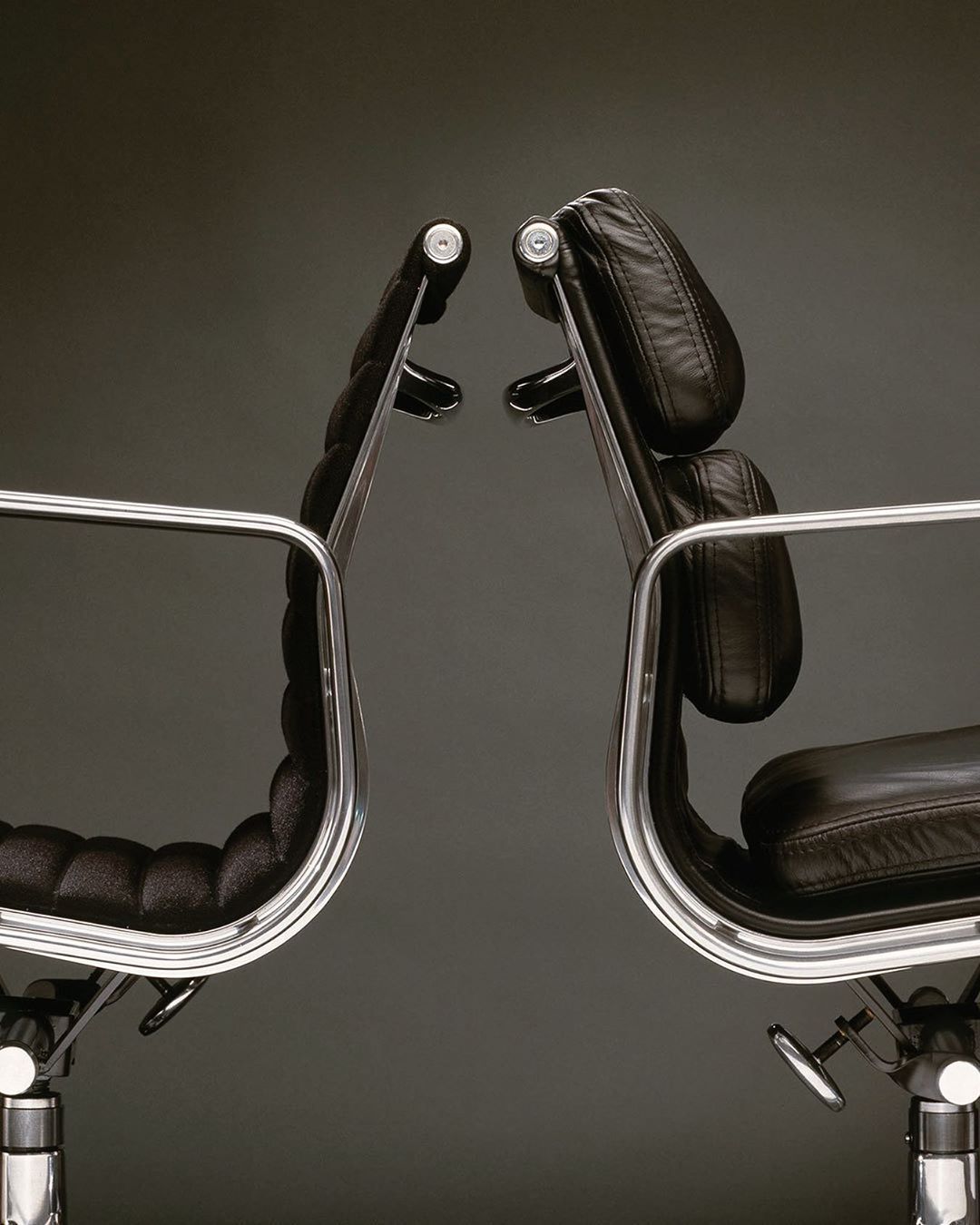
Choosing the right chair can make a significant difference in your comfort, productivity, and overall experience at your desk. With so many options available, two popular choices are office chairs and gaming chairs.
Although both are designed for extended periods of sitting, they have different design features, aesthetics, and intended uses. An office chair typically focuses on a professional appearance and ergonomic functionality, while a gaming chair often emphasizes support, distinctive styling, and a more immersive experience.
So, when comparing an office chair vs. gaming chair, which one should you choose?
The answer depends on how you use your desk, your comfort preferences, your interior style, and the features that matter most to you.
What Is an Office Chair?
An office chair is designed primarily for working at a desk. It is commonly found in corporate offices, home offices, study areas, and professional workspaces.
Modern office chairs often focus on ergonomics, adjustability, and long-term comfort. Many models include adjustable seat height, lumbar support, armrests, and backrests.
Common Features of Office Chairs
Depending on the model, an office chair may include:
- Adjustable seat height
- Lumbar support
- Adjustable armrests
- Breathable mesh backrests
- Tilt and recline mechanisms
- Ergonomic seat designs
- Casters for easy movement
Office chairs are generally designed to blend easily into professional environments and modern home offices.
What Is a Gaming Chair?
A gaming chair is designed with gaming in mind, although it can also be used for work, studying, and other desk-based activities.
Gaming chairs often have a distinctive appearance inspired by racing-style car seats. They may feature high backrests, prominent side bolsters, headrests, and additional cushions.
Common Features of Gaming Chairs
Gaming chairs may include:
- High backrests
- Headrest pillows
- Lumbar cushions
- Adjustable armrests
- Reclining backrests
- Bucket-style seats
- Bold colors and designs
Their appearance can range from subtle and minimalist to highly colorful and eye-catching.
Office Chair vs. Gaming Chair: Key Differences
Understanding the main differences can help you determine which type of chair suits your needs.
1. Design and Appearance
One of the most noticeable differences is the visual design.
Office chairs generally have a streamlined and professional appearance. Neutral colors such as black, gray, white, and beige are common, allowing them to blend into different work environments.
Gaming chairs often have a more distinctive appearance. Many feature racing-inspired shapes, contrasting colors, logos, and prominent side bolsters.
If you want a chair that blends seamlessly with your home office, an office chair may suit your interior more easily. If you enjoy a bold gaming setup, a gaming chair can become part of the overall aesthetic.
2. Ergonomics
Ergonomics is an important factor when choosing a chair for extended periods of sitting.
Many ergonomic office chairs are designed to support a neutral sitting posture. Features may include adjustable lumbar support, seat depth adjustments, flexible backrests, and multiple adjustment points.
Gaming chairs can also offer ergonomic features, including lumbar cushions, headrests, reclining mechanisms, and adjustable armrests.
However, features vary significantly between individual models. Rather than choosing a chair based only on its category, examine the specific ergonomic features and adjustability it provides.
3. Comfort
Comfort is highly personal and depends on the chair’s dimensions, materials, cushioning, and adjustability.
Gaming chairs often use thick padding and high backrests. Some users may appreciate the feeling of additional support around the body.
Office chairs can offer different types of cushioning and support. Mesh office chairs, for example, can provide a more breathable seating experience, while upholstered models may offer a softer feel.
The best choice depends on your body proportions, sitting habits, and personal preferences.
4. Adjustability
Adjustability can make a major difference in how comfortable a chair feels.
Many office chairs offer adjustments for:
- Seat height
- Armrest height
- Backrest position
- Recline tension
- Seat depth
- Lumbar support
Gaming chairs commonly offer seat height adjustment, reclining backrests, armrest adjustments, and tilt functions.
When comparing chairs, focus on the adjustments that are actually useful for your body and workspace.
5. Backrest Design
Office chairs and gaming chairs often have noticeably different backrest designs.
Gaming chairs typically have tall backrests that support the upper back, shoulders, and head. Some models also include removable headrest and lumbar cushions.
Office chairs can feature different backrest shapes depending on their design. Ergonomic models may use curved backrests designed to support the natural shape of the spine.
The ideal backrest should provide support without forcing you into an uncomfortable position.
6. Materials
Both office chairs and gaming chairs are available in a variety of materials.
Office chairs commonly use:
- Mesh
- Fabric
- Leather
- Faux leather
- Plastic
- Metal
Gaming chairs often use:
- Faux leather
- Fabric
- Mesh
- Foam cushioning
- Metal frames
Mesh can be useful for airflow, particularly in warm environments. Upholstered or leather-style chairs can provide a different look and feel but may retain more heat depending on the material.
7. Style and Interior Design
Your chair should fit naturally into your workspace.
A modern office chair can complement minimalist, Scandinavian, contemporary, or professional interiors.
Gaming chairs may be more suitable for dedicated gaming rooms or setups where the chair is intended to be part of the visual theme.
However, modern gaming chairs are also available in understated colors and designs that can work well in home offices.
Office Chair or Gaming Chair for Working From Home?
If you primarily work from home, an office chair may be worth considering because its design is generally centered around desk-based work.
Look for features such as:
- Adjustable lumbar support
- Proper seat height
- Adjustable armrests
- Comfortable back support
- Breathable materials
- Suitable seat depth
However, a gaming chair can also be used for working from home if it provides the support and adjustability you need.
The key is to choose based on the chair’s actual features rather than its name.
Office Chair or Gaming Chair for Gaming?
If gaming is your primary activity, a gaming chair can complement a dedicated gaming setup both visually and functionally.
Features such as a reclining backrest, high back, headrest, and lumbar cushion may be useful for some gamers.
However, an ergonomic office chair can also be a suitable gaming chair. In fact, some office chairs provide extensive adjustability that can be useful during long gaming sessions.
Again, individual chair design matters more than the category itself.
Office Chair vs. Gaming Chair for Small Spaces
Space is another factor to consider.
Gaming chairs with wide seats and prominent side bolsters may require more room than some streamlined office chairs.
If you have a small bedroom, apartment, or compact home office, consider the chair’s:
- Width
- Depth
- Armrest dimensions
- Base size
- Reclining clearance
A chair that fits comfortably under or around your desk can help make a small workspace feel less crowded.
Which Chair Is Better for Long Hours?
There is no universal answer to which chair is better for long periods of sitting.
For extended desk use, prioritize ergonomic adjustment and proper fit rather than choosing solely between an office chair and a gaming chair.
A suitable chair should allow you to:
- Keep your feet comfortably supported
- Adjust the seat to an appropriate height
- Maintain a comfortable posture
- Keep your arms in a relaxed position
- Change sitting positions throughout the day
Even with a high-quality chair, taking regular movement breaks is important during long periods of desk work.
How to Choose the Right Chair for You
When choosing between an office chair and a gaming chair, consider the following factors.
Consider Your Main Activity
Think about what you do most often at your desk.
If you primarily work, study, or attend online meetings, an office chair may fit your needs and workspace.
If you primarily play games and want a chair that matches your gaming setup, a gaming chair may be appealing.
If you do both, consider a versatile chair that provides support for both activities.
Consider Your Body Size
Chair dimensions should suit your body proportions.
Pay attention to:
- Seat height
- Seat depth
- Seat width
- Backrest height
- Armrest height
- Weight capacity
A chair that is too large or too small may feel uncomfortable even if it has excellent features.
Consider Your Workspace
Look at your desk height and available floor space before buying.
The chair should allow you to sit comfortably at your desk without forcing your shoulders or arms into an awkward position.
Consider the Climate
If you live in a warm environment, material selection is particularly important.
Breathable mesh can promote airflow, while thick faux leather upholstery may feel warmer during extended use.
Consider Your Budget
Office chairs and gaming chairs are available across a wide range of prices.
Instead of focusing only on appearance, compare the features that matter most to you, such as adjustability, materials, support, construction quality, and warranty coverage.
Can a Gaming Chair Be Used as an Office Chair?
Yes. A gaming chair can be used as an office chair, especially if it provides suitable ergonomic support and adjustment options.
Many people use gaming chairs for studying, working from home, and other desk activities.
However, consider whether its size, appearance, and cushioning are appropriate for your workspace.
Can an Office Chair Be Used for Gaming?
Absolutely. An office chair can work well for gaming.
An ergonomic office chair may provide excellent adjustability and support while also fitting naturally into a minimalist gaming setup.
If aesthetics are important, choose an office chair with a design that complements your monitor, desk, lighting, and other gaming accessories.
Common Mistakes When Choosing a Desk Chair
Avoiding common mistakes can help you choose a more suitable chair.
Choosing Based Only on Appearance
A visually attractive chair may not provide the comfort or support you need.
Ignoring Chair Dimensions
Always compare the chair’s dimensions with your body size and desk height.
Overlooking Adjustability
Adjustable features can make it easier to customize the chair to your preferred sitting position.
Buying Without Considering the Material
Think about how the material will feel during extended use, especially if you work or game in a warm environment.
Forgetting About Desk Compatibility
A chair and desk should work together. Check the seat height, armrest clearance, and available legroom before buying.
Final Thoughts
When comparing an office chair vs. gaming chair, there is no single option that works best for everyone.
Office chairs generally offer a professional appearance and a strong focus on ergonomic functionality, while gaming chairs often combine supportive features with distinctive gaming-inspired designs.
The right choice depends on your main activities, body proportions, workspace, preferred materials, interior style, and budget.
Instead of choosing a chair based solely on whether it is labeled an office chair or gaming chair, pay attention to ergonomics, adjustability, comfort, dimensions, materials, and overall build quality.
A well-chosen chair can make your workspace more comfortable and functional, whether you spend your time working, studying, gaming, or doing a combination of all three.
Frequently Asked Questions
Is an office chair better than a gaming chair?
The answer depends on the individual chair and your needs. Compare ergonomic features, adjustability, dimensions, materials, and comfort rather than relying only on the chair category.
Are gaming chairs good for office work?
Yes. Gaming chairs can be suitable for office work if they provide appropriate support, adjustability, and comfort for extended desk use.
Are office chairs good for gaming?
Yes. Many office chairs can be used for gaming and may offer extensive ergonomic adjustment features.
Which chair is more comfortable for long hours?
Comfort depends on the chair’s fit, materials, cushioning, and adjustment features. A properly fitted ergonomic chair can be comfortable for extended desk use regardless of whether it is marketed as an office or gaming chair.
Is mesh better than leather for an office chair?
Mesh is generally more breathable, while leather and faux leather can provide a different aesthetic and seating feel. The best material depends on your climate, preferences, and maintenance requirements.
What should I look for in a chair for working and gaming?
Look for adjustable seat height, suitable seat depth, supportive backrest, adjustable armrests, appropriate lumbar support, comfortable materials, and dimensions that work with your desk and body.