
Blog
A Simple Guide to Office Chair Care and Maintenance

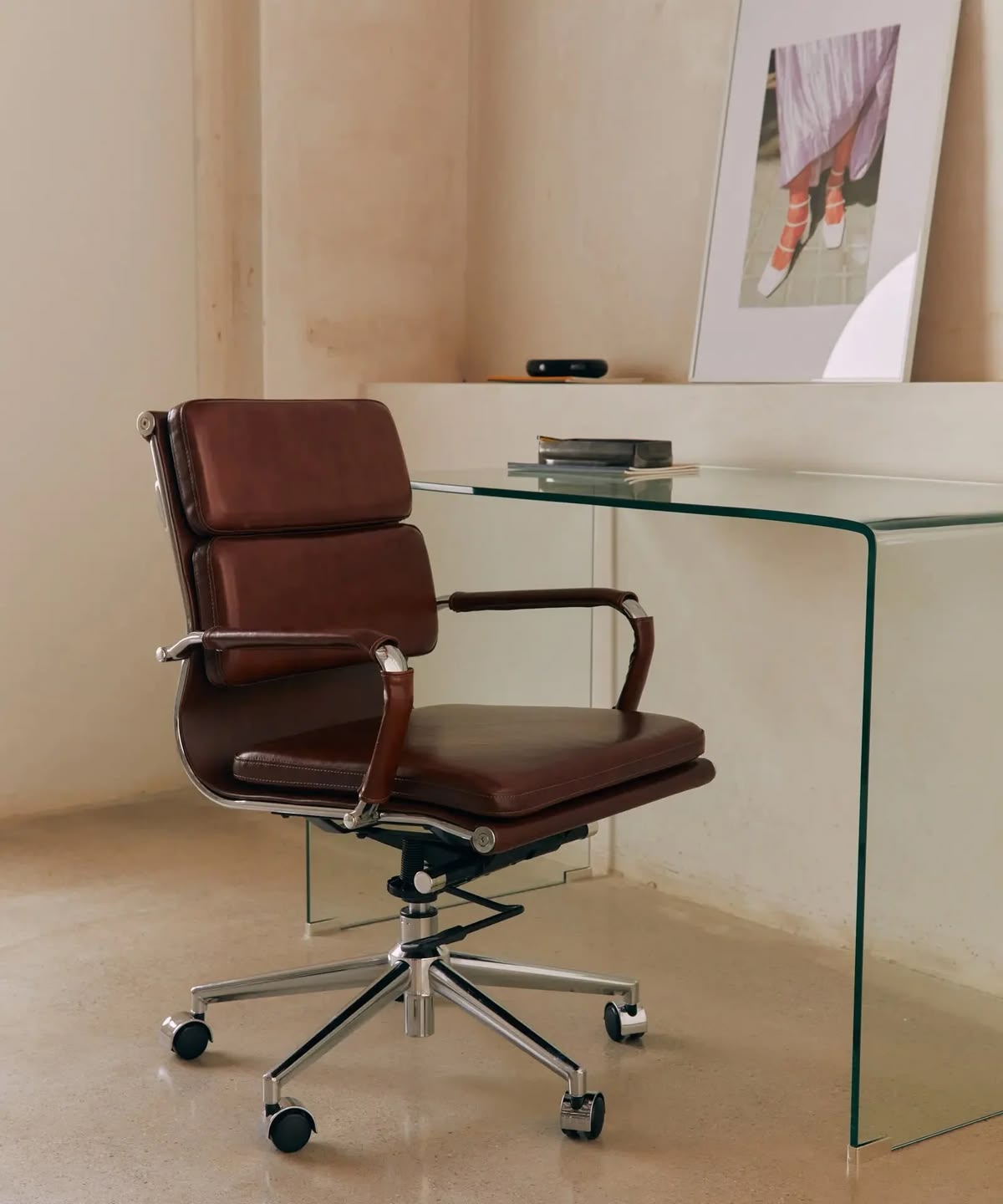
An office chair is one of the most frequently used pieces of furniture in a workspace. Whether you work from home or spend long hours in a professional office, a clean and well-maintained chair can improve comfort, appearance, and everyday functionality.
Regular office chair care and maintenance does not have to be complicated. With a few simple habits, you can keep your chair looking clean, comfortable, and functional for longer.
In this guide, we will cover practical tips for cleaning, maintaining, and extending the life of your office chair.
Why Is Office Chair Maintenance Important?
Office chairs are exposed to daily wear and tear. Dust, food crumbs, spills, sweat, and frequent movement can gradually affect the chair’s appearance and condition.
Regular maintenance can help:
- Keep your office chair clean and presentable
- Prevent dirt and dust from building up
- Maintain the chair’s comfort
- Reduce unnecessary wear and tear
- Identify loose or damaged parts early
- Extend the lifespan of your office chair
- Reduce the need for premature replacement
Taking a few minutes to care for your chair regularly can save you time and money in the long run.
How Often Should You Clean Your Office Chair?
The ideal cleaning schedule depends on how frequently the chair is used.
For an office chair used every day, a quick cleaning once a week is a good habit. A more thorough cleaning can be done once a month or whenever the chair becomes visibly dirty.
Consider cleaning your office chair more frequently if:
- You eat at your desk
- Several people use the same chair
- You have pets at home
- The chair is located in a dusty environment
- The chair experiences frequent spills or stains
Regular cleaning is usually easier than trying to remove months of accumulated dirt.
Step-by-Step Office Chair Cleaning Guide
1. Remove Dust and Loose Debris
Start by removing loose dust, hair, crumbs, and other debris from the chair.
Use a soft microfiber cloth, soft brush, or vacuum cleaner with a suitable attachment. Pay attention to areas that are easy to overlook, such as:
- Under the seat
- Between cushions
- Around the armrests
- Backrest seams
- Chair legs
- Wheels and casters
Removing loose dirt first prevents it from spreading when you begin cleaning the chair’s surfaces.
2. Check the Manufacturer’s Cleaning Instructions
Before applying any cleaning product, check the manufacturer’s care instructions.
Different materials require different cleaning methods. A cleaning solution that is suitable for fabric may not be appropriate for leather, faux leather, mesh, or plastic.
If the chair has a care label or product manual, follow those recommendations whenever possible.
3. Clean Fabric Office Chairs
Fabric office chairs can easily collect dust and absorb spills.
For routine cleaning, vacuum the upholstery gently to remove dust and debris. For small stains, use a mild cleaning solution that is suitable for the fabric.
Always test a cleaning product on a small, inconspicuous area first.
Avoid soaking the fabric. Excess moisture can penetrate the padding and may cause unpleasant odors or other problems if the chair does not dry properly.
4. Clean Leather and Faux Leather Chairs
Leather and faux leather office chairs require slightly different care.
Use a soft, slightly damp microfiber cloth to remove everyday dirt. For more thorough cleaning, use a cleaner specifically designed for the type of material.
Avoid harsh chemicals, excessive water, and abrasive materials because they may damage the surface.
For genuine leather, appropriate leather conditioning may also help maintain the material, depending on the manufacturer’s recommendations.
5. Clean Mesh Office Chairs
Mesh office chairs are popular because they provide airflow and a lightweight appearance. However, dust and debris can become trapped in the mesh.
Use a vacuum cleaner with a soft brush attachment to remove dust. You can then wipe the mesh gently with a slightly damp cloth if needed.
Do not scrub aggressively, as excessive pressure may stretch or damage the mesh.
6. Clean Plastic and Metal Components
Plastic and metal components are generally easy to maintain.
Wipe them with a soft, damp cloth to remove dust and fingerprints. For stubborn dirt, use a mild soap solution if it is compatible with the material.
Dry the surfaces afterward to prevent moisture from remaining around joints or mechanical components.
How to Maintain Office Chair Wheels
The wheels of an office chair collect a surprising amount of dust, hair, and debris.
Dirty casters can make the chair difficult to move and may cause unnecessary strain on the wheels and floor.
To maintain your office chair wheels:
- Turn the chair upside down carefully.
- Remove visible hair, dust, and debris.
- Use a small brush or cloth to clean around the wheels.
- Check whether the wheels rotate smoothly.
- Look for cracks or other visible damage.
- Replace damaged casters when necessary.
Cleaning the wheels regularly can help maintain smooth movement and protect certain types of flooring.
Check the Chair’s Screws and Bolts
Frequent use can gradually loosen screws, bolts, and other connections.
Every few months, inspect the chair for loose components. Check areas such as:
- Armrests
- Seat base
- Backrest
- Chair legs
- Wheel connections
- Height-adjustment mechanism
If you notice a loose screw or bolt, tighten it according to the manufacturer’s instructions.
Avoid overtightening, as excessive force can damage components or threads.
Maintain the Office Chair’s Adjustment Mechanisms
Many modern office chairs include adjustable features such as:
- Seat height
- Backrest angle
- Recline tension
- Armrest height
- Lumbar support
Use these mechanisms according to the manufacturer’s instructions.
If an adjustment mechanism becomes difficult to operate, do not force it. Inspect the mechanism for visible problems and consult the manufacturer’s maintenance recommendations.
For mechanical components that require lubrication, only use a lubricant recommended for the chair.
Avoid Putting Excessive Weight on the Chair
Every office chair has a recommended weight capacity.
Using a chair beyond its intended weight limit can place additional stress on the frame, base, casters, and adjustment mechanisms.
Always check the manufacturer’s specifications and use the chair within its recommended capacity.
Protect Your Office Chair From Direct Sunlight
Long-term exposure to direct sunlight can cause some materials to fade, discolor, dry out, or deteriorate.
If possible, position your office chair away from strong direct sunlight. This is particularly important for leather, faux leather, and certain fabric finishes.
Using curtains, blinds, or window shades can also help reduce prolonged exposure to sunlight.
Avoid Eating and Drinking Directly Over the Chair
Spills are one of the most common causes of stains on office chairs.
Whenever possible, keep drinks and food away from the chair. If a spill does happen, clean it as soon as possible.
The faster you address a spill, the less likely it is to become a permanent stain or unpleasant odor.
For liquid spills, gently blot the affected area rather than rubbing aggressively.
Do Not Use Harsh Cleaning Products
One of the most important office chair maintenance tips is to avoid using random household chemicals.
Bleach, strong solvents, abrasive cleaners, and other harsh products can damage upholstery, coatings, plastic, leather, or other chair components.
Always choose a cleaning product that is compatible with the chair’s material.
When in doubt, test the product on a small hidden area first.
Create a Simple Office Chair Maintenance Routine
You do not need to spend hours maintaining your office chair.
A simple routine can make a significant difference.
Weekly
- Remove dust and crumbs
- Wipe frequently touched surfaces
- Check for visible stains
- Clean the armrests
Monthly
- Vacuum the upholstery or mesh
- Clean the wheels
- Inspect the chair’s overall condition
- Check for loose screws or bolts
Every Few Months
- Inspect the adjustment mechanisms
- Check the casters and base
- Examine upholstery for signs of wear
- Tighten loose components when necessary
This simple routine can help prevent small issues from becoming expensive repairs.
Common Office Chair Care Mistakes to Avoid
Even with good intentions, certain cleaning habits can damage an office chair.
Avoid these common mistakes:
Using Too Much Water
Excessive moisture can penetrate upholstery and padding, potentially causing odors and other issues.
Scrubbing Stains Too Hard
Aggressive scrubbing can damage fabric fibers, coatings, or surface finishes.
Ignoring the Wheels
Dirty casters can affect mobility and collect hair and debris over time.
Using the Wrong Cleaning Product
Different materials require different care. Always check compatibility before using a cleaning solution.
Ignoring Small Mechanical Problems
A loose screw or unusual movement may seem minor, but ignoring it can allow the problem to become worse.
When Should You Replace an Office Chair?
Proper maintenance can extend the life of an office chair, but eventually, replacement may be necessary.
Consider replacing your office chair if you notice:
- A cracked or damaged frame
- A severely worn seat
- Broken adjustment mechanisms
- Damaged or unstable wheels
- Persistent instability
- Significant loss of cushioning
- Structural damage that cannot be repaired safely
If a chair is no longer stable or comfortable despite maintenance and repairs, replacing it may be more practical than continuing to use it.
Final Thoughts
Proper office chair care and maintenance is a simple but important part of maintaining a comfortable workspace.
Regular dusting, appropriate cleaning, wheel maintenance, hardware checks, and careful use can help keep your chair in good condition for longer.
The most important rule is to treat your office chair according to its materials and manufacturer’s recommendations. Avoid harsh cleaning products, address spills quickly, and inspect the chair regularly for signs of wear.
With consistent care, your office chair can remain a comfortable and functional part of your workspace for years to come.
Frequently Asked Questions About Office Chair Care
How often should I clean my office chair?
For an office chair used daily, basic cleaning once a week and a more thorough cleaning once a month is a practical routine.
What is the best way to clean an office chair?
The best cleaning method depends on the chair’s material. Use a microfiber cloth and suitable cleaning products, and always follow the manufacturer’s care instructions.
Can I use water to clean my office chair?
A small amount of water may be suitable for some materials, but avoid soaking the chair. Always check the manufacturer’s recommendations before using water.
How do I clean office chair wheels?
Remove dust, hair, and debris from the casters using a brush, cloth, or vacuum. Check that the wheels rotate smoothly and replace damaged casters when necessary.
How can I make my office chair last longer?
Clean it regularly, avoid exceeding its weight capacity, protect it from excessive sunlight and moisture, maintain its wheels and adjustment mechanisms, and repair loose or damaged components promptly.
Is it worth maintaining an office chair?
Yes. Regular maintenance can help preserve the chair’s appearance, comfort, functionality, and durability while potentially reducing the need for early replacement.