
Blog
How to Clean and Maintain Your Office Chair

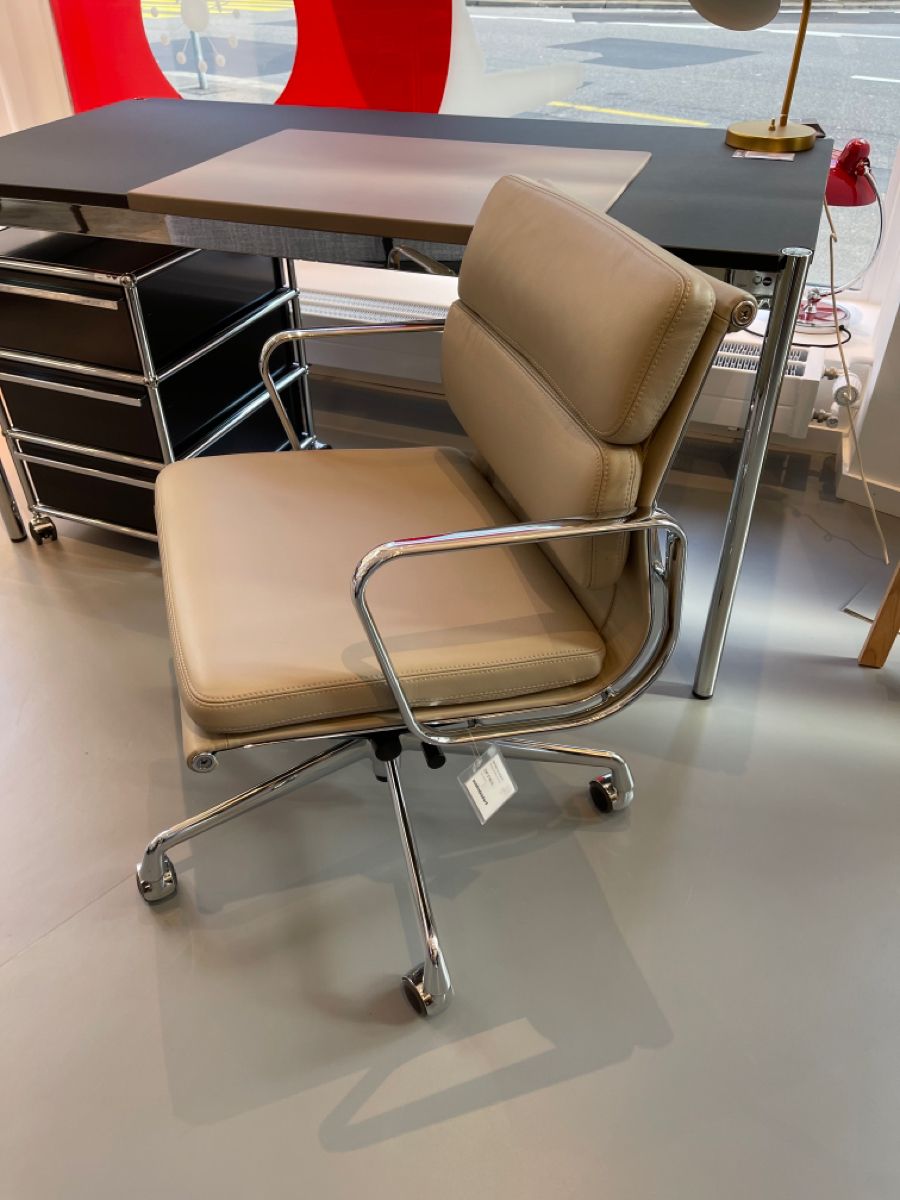
An office chair is an essential part of any productive workspace. Because it is used for several hours a day, it can quickly collect dust, dirt, food crumbs, sweat, and other debris. Over time, everyday use can also affect the chair’s upholstery, wheels, frame, and adjustment mechanisms.
Learning how to clean and maintain your office chair can help keep it comfortable, hygienic, and functional for longer. Regular care does not have to be complicated. A few simple cleaning and maintenance habits can make a noticeable difference.
Why Office Chair Maintenance Matters
Regular office chair maintenance helps protect the chair from unnecessary wear and tear. It can also help you identify small problems before they develop into more serious issues.
A well-maintained office chair can provide:
- A cleaner and more pleasant workspace
- Better everyday comfort
- Smoother movement
- Improved appearance
- Longer-lasting materials and components
The right maintenance routine depends on the chair’s materials and design, so always check the manufacturer’s care instructions before using cleaning products.
1. Identify Your Office Chair’s Materials
Before cleaning your chair, determine what materials are used on its different surfaces.
Common office chair materials include:
- Fabric
- Mesh
- Leather
- Synthetic leather
- Plastic
- Metal
- Wood
Different materials require different cleaning methods. A product that is suitable for plastic may not be appropriate for leather or fabric.
Checking the manufacturer’s instructions first is one of the easiest ways to prevent accidental damage.
2. Remove Dust and Loose Dirt
Start your office chair cleaning routine by removing loose dust, hair, crumbs, and debris.
For fabric and mesh chairs, a vacuum cleaner with a soft attachment can be useful. For hard surfaces, wipe them gently with a clean microfiber cloth.
Pay attention to areas that are often overlooked, including:
- Under the seat
- Around the backrest
- Between the seat and armrests
- Around the chair base
- Underneath and around the wheels
Removing loose dirt regularly prevents buildup and makes deeper cleaning easier.
3. Clean a Fabric Office Chair
Fabric office chairs can absorb dust, sweat, and spills more easily than smooth materials.
Begin by vacuuming the upholstery. If you find a stain, use a cleaning method recommended for the particular type of fabric.
Avoid soaking the chair. Too much moisture can penetrate the padding and may create unpleasant odors or contribute to material damage.
For any cleaning solution, test it on a small, inconspicuous area first if the manufacturer’s instructions permit.
4. Clean Leather and Synthetic Leather
Leather and synthetic leather chairs require gentle cleaning.
Use a soft, slightly damp cloth to remove surface dust and dirt. For deeper cleaning, choose a product specifically designed for the material.
Avoid abrasive cleaners, excessive water, and products that are not intended for leather or synthetic leather. These may affect the surface finish or cause drying and cracking over time.
Regular, gentle cleaning is an important part of office chair care.
5. Clean Mesh Office Chairs Carefully
Mesh chairs are designed to allow airflow, but dust and debris can become trapped between the fibers.
Use a vacuum with a soft attachment to remove accumulated dust. You can then follow the manufacturer’s cleaning instructions for removing stains or other residue.
Avoid aggressive scrubbing or pulling on the mesh, as this can damage the material.
6. Deal With Spills Immediately
Spills are easier to remove when they are treated quickly.
When liquid is spilled on your office chair, gently blot the area with a clean cloth rather than rubbing it aggressively. Rubbing can spread the liquid and push it deeper into the upholstery.
Use only a suitable cleaning solution for the chair’s material, and allow the area to dry completely before sitting on it again.
Quickly addressing spills is one of the simplest ways to keep an office chair looking clean.
7. Clean the Wheels and Casters
Office chair wheels collect hair, dust, threads, and other debris, especially when the chair is used every day.
Inspect the casters regularly and remove anything wrapped around the wheels. A small brush or cloth can help clean hard-to-reach areas.
Dirty wheels can affect how smoothly the chair moves. Keeping them clean can make everyday movement easier and help maintain the caster mechanism.
8. Check the Chair’s Screws and Connections
Cleaning is only one part of how to maintain an office chair. Mechanical and structural components also need attention.
Inspect the screws, bolts, and connection points periodically. Look for anything that has become loose or unstable.
Pay particular attention to:
- Armrests
- Seat connections
- Backrest connections
- Chair base
- Other visible fasteners
Tighten loose components carefully according to the manufacturer’s recommendations. Avoid overtightening, which can damage certain parts.
9. Inspect the Height Adjustment Mechanism
Most office chairs have a height adjustment mechanism that is used frequently.
Make sure the chair remains at the selected height and that the adjustment lever works properly. If the chair suddenly sinks, becomes difficult to adjust, or develops unusual movement, the mechanism may require professional inspection.
Do not attempt to disassemble pressurized components such as the gas lift unless you have the proper knowledge and equipment.
10. Maintain the Tilt and Recline Functions
If your office chair has a tilt or recline function, use it according to the manufacturer’s instructions.
Avoid forcing the mechanism or repeatedly moving it beyond its intended range.
If the chair starts making unusual noises, feels unstable, or the tilt mechanism no longer works properly, investigate the problem instead of continuing to force the adjustment.
11. Avoid Using Harsh Cleaning Products
One of the most common office chair cleaning mistakes is using a product that is too strong for the material.
Bleach, abrasive cleaners, strong solvents, or other unsuitable chemicals may damage upholstery, plastic components, or protective finishes.
Always choose a cleaning product that is appropriate for the material, and follow the chair manufacturer’s recommendations whenever available.
12. Protect Your Chair From Excessive Sunlight
Where you place your chair can influence how well it maintains its appearance.
Long periods of direct sunlight may contribute to fading or deterioration of certain upholstery materials.
Whenever practical, keep your office chair away from intense direct sunlight or excessive heat. This can be especially important for leather and synthetic leather surfaces.
13. Use Your Office Chair Properly
Your daily habits have a major impact on the lifespan of your office chair.
Avoid using the chair as a step stool, sitting on the armrests, standing on the seat, or repeatedly rocking beyond the chair’s intended range.
You should also follow the manufacturer’s recommended weight capacity.
Proper use reduces unnecessary stress on the frame, wheels, base, and adjustment mechanisms.
14. Keep the Area Around Your Chair Clean
A clean office chair is easier to maintain when the surrounding workspace is clean as well.
Dust and debris from the floor can collect around the wheels and base. Food crumbs can also find their way underneath the chair.
Vacuum or sweep around the chair regularly, especially in areas where dust tends to accumulate.
A cleaner workspace makes your overall office chair care routine easier and more effective.
15. Create a Simple Office Chair Maintenance Schedule
You do not need to spend a lot of time maintaining your chair. A consistent routine is usually enough.
Weekly
Remove dust, crumbs, and visible dirt from the seat, backrest, armrests, and surrounding area.
Monthly
Clean the wheels, inspect the upholstery, and check whether the adjustment mechanisms are functioning properly.
Every Few Months
Inspect screws, bolts, armrests, the chair base, and other structural components for signs of wear or looseness.
As Needed
Clean spills immediately and address unusual noises, instability, or mechanical problems as soon as they appear.
Common Mistakes to Avoid
Proper office chair maintenance also means avoiding habits that can shorten the chair’s lifespan.
Using Too Much Water
Excess moisture can penetrate upholstery and padding, which may lead to odors or material damage.
Scrubbing Too Hard
Aggressive scrubbing can damage fabric, mesh, leather, or other delicate surfaces.
Ignoring Small Problems
A loose screw or unusual squeak may seem minor, but addressing issues early can help prevent additional damage.
Choosing the Wrong Cleaning Product
Always consider the material before applying a cleaner.
Neglecting the Wheels
Dirty casters can affect movement and make the chair less convenient to use.
How Often Should You Clean Your Office Chair?
The ideal cleaning frequency depends on how often the chair is used.
For an office chair used every day, light cleaning once a week is a practical starting point. More thorough cleaning can be done monthly or whenever the chair becomes visibly dirty.
Spills and stains should always be addressed as soon as possible rather than waiting for the next scheduled cleaning.
Final Thoughts
Knowing how to clean and maintain your office chair can help keep your workspace cleaner, more comfortable, and better organized.
Regularly removing dust, cleaning the upholstery according to its material, maintaining the wheels, checking screws, and using the chair properly can help reduce unnecessary wear and extend its useful life.
The key is consistency. A few minutes of basic care each week can go a long way toward keeping your office chair looking good and functioning properly for years to come.